We use cookies to make your experience better. To comply with the new e-Privacy directive, we need to ask for your consent to set the cookies. Learn more.


Router Basics Guide
Mesh WiFi vs extender: which one do you need?
Both can improve weak WiFi, but mesh and extenders solve different problems. Compare coverage, speed, roaming, cost, and compatibility with a whole-home VPN router.
Whole-home coverage
Router-level VPN compatible
Expandable options
Choose mesh
Large homes, multiple floors, streaming rooms, and several dead zones.
See mesh guidance ↓Choose an extender
One small weak area where maximum speed and roaming are less important.
Compare setup types ↓Choose one strong router
Apartments and compact homes that do not need additional WiFi nodes.
See router options ↓
The quick answer
Mesh is the better whole-home solution
Our recommendation
Use mesh when coverage matters throughout the home. Use an extender only as a low-cost patch for one limited dead zone.
A mesh system uses multiple coordinated WiFi nodes to create broader, more consistent coverage. Devices can move between rooms while staying connected to the same network.
A WiFi extender receives and repeats your existing signal. That can improve basic connectivity in one area, but it may reduce throughput, introduce a second network name, or make roaming less seamless.
Side-by-side comparison
Mesh WiFi vs extender vs other setup options
Coverage is only part of the decision. The best setup also depends on your home layout, ISP equipment, wired connections, and whether you want a separate VPN-protected network.
| Setup | Best for | Coverage | Main tradeoff | Recommendation |
|---|---|---|---|---|
| Mesh WiFi | Large homes, multiple floors, distant bedrooms, streaming spaces, and many connected devices. | Multiple coordinated nodes provide broader and more consistent coverage. | Higher initial cost than a basic extender. | Best whole-home choice |
| WiFi extender | One small dead zone, occasional browsing, or a temporary coverage fix. | Repeats the existing signal into a limited area. | May reduce speed or create less seamless roaming. | Small-area fix |
| Single WiFi 7 router | Apartments, smaller homes, and centrally located modem setups. | Stronger modern hardware may cover the space without extra nodes. | May still struggle with distant rooms or thick walls. | Simplest setup |
| Wired access point | Media rooms, home offices, gaming areas, or homes with Ethernet. | Excellent speed and stability through a wired backhaul. | Requires an Ethernet connection. | Best wired option |
| Dual-router setup | Keeping an ISP router while adding a separate VPN network. | Depends on the strength and placement of both routers. | Creates two networks to understand and manage. | Best for separate VPN |
Choose your path
Start with the problem you need to solve
Select the coverage situation that most closely matches your home and continue to the relevant router or setup option.
Large or multi-floor home
Choose mesh for far bedrooms, basements, upstairs rooms, home offices, and multiple weak areas.
Shop mesh routers →One weak room
An extender may be enough for light use, but a stronger router or wired access point may provide a better long-term fix.
Find the right fix →ISP router must remain
Keep your normal ISP network and add a separate FlashRouter network for VPN-protected devices.
View dual-router setup →Apartment or small layout
Start with one strong WiFi 7 router when your space is compact and additional mesh nodes may be unnecessary.
Shop WiFi 7 routers →Router-level VPN coverage
Better WiFi makes your VPN router more useful
A VPN router can protect devices throughout the network, but only where the WiFi connection remains usable and reliable.
Reach devices without VPN apps
Extend the router network to smart TVs, streaming boxes, consoles, tablets, and connected-home devices.
Reduce coverage-related interruptions
Stronger whole-home WiFi helps avoid buffering and unstable connections in rooms far from the main router.
Keep one clearer network path
A compatible mesh system is generally easier to understand than several separately named repeaters.

Recommended options
FlashRouters for whole-home coverage
Choose a complete mesh pack or start with a strong ASUS WiFi 7 router that can support future AiMesh expansion.
Mesh pick
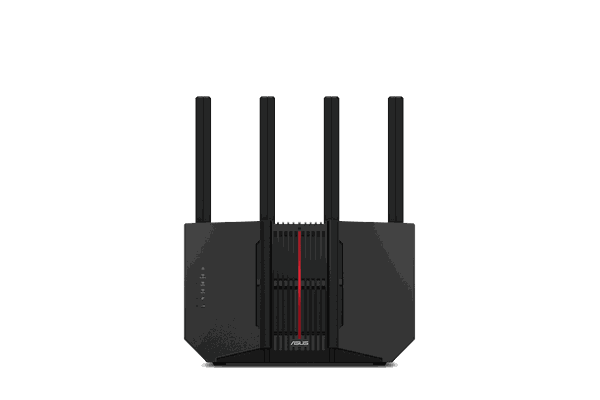
 Strong router
 Value option
 Premium
ASUS ZenWiFi BE5000
WiFi 7 · Three-pack mesh
- Built for broader multi-room coverage
- Three coordinated mesh units
- Good fit for multi-floor homes
- FlashRouters VPN setup options
ASUS RT-BE92U
BE9700 · Tri-band WiFi 7
- Strong main-router performance
- Tri-band WiFi 7 connectivity
- AiMesh expansion potential
- VPN Fusion per-device routing
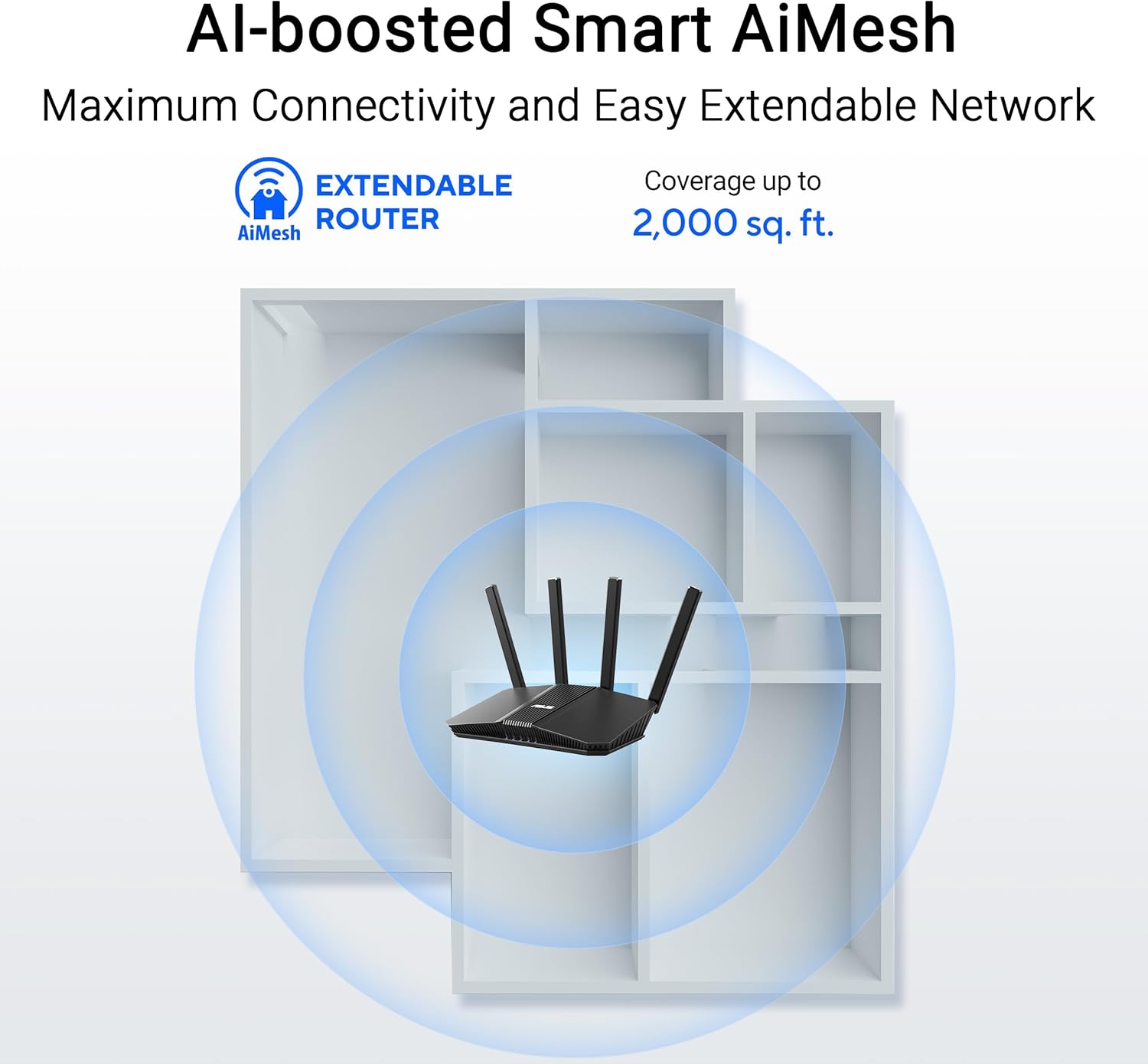
ASUS RT-BE58U
BE3600 · WiFi 7
- Value-focused WiFi 7 upgrade
- Good for apartments and smaller homes
- AiMesh expansion support
- FlashRouters VPN configuration options
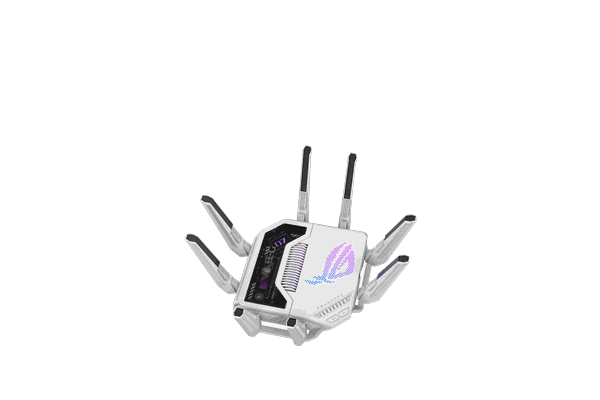
ASUS ROG GT-BE19000AI
BE19000 · Premium WiFi 7
- Maximum hardware headroom
- Built for demanding networks
- Advanced gaming and routing features
- AiMesh expansion potential
Planning the network
Build the setup in three steps
Choose the primary router first, solve the coverage issue second, and then decide which devices should use the VPN-protected network.
01
Choose the main VPN router
Start with the router that will handle your internet connection, VPN provider, device-routing rules, and core network configuration.
02
Map the weak coverage areas
Identify where signal quality drops. Use mesh for several weak areas, a wired access point where Ethernet is available, or one extender for a limited low-priority dead zone.
03
Connect devices to the right network
Place smart TVs, streaming boxes, consoles, computers, and privacy-sensitive devices on the normal or VPN-protected path that matches how you want each device to operate.
Not sure whether you need mesh or one stronger router?
Answer a few questions about your home, ISP, devices, VPN provider, and coverage needs to narrow the best FlashRouters setup.
Frequently asked questions
Mesh vs extender questions
Is mesh WiFi better than a WiFi extender?
For most whole-home setups, yes. Mesh is generally better for larger
homes, multiple floors, streaming rooms, and smoother movement between
access points. An extender is more appropriate as a small patch for
one weak area.
Can I use mesh WiFi with a VPN router?
Yes. Mesh can extend the usable coverage of a VPN-router network. The
precise setup depends on the router model, firmware, mesh platform,
ISP equipment, and whether the FlashRouter is the main router or part
of a dual-router configuration.
Do WiFi extenders work with VPN routers?
They can. However, some extenders reduce throughput, use a separate
network name, or make roaming less seamless. Mesh or a wired access
point is usually a cleaner solution for higher-bandwidth streaming and
whole-home VPN use.
Is a dual-router setup the same thing as mesh?
No. A dual-router setup creates two routing paths, commonly one normal
ISP network and one VPN-protected network. Mesh primarily expands WiFi
coverage. A home can use both approaches together.
Is one WiFi 7 router enough for my home?
It may be enough for an apartment, smaller home, or centrally located
modem. Mesh becomes more useful when you have several floors, thick
walls, distant bedrooms, basement areas, or outdoor coverage needs.
What is better for smart TVs and streaming devices?
Mesh is usually preferable when TVs and streaming devices are far from
the main router. Router-level VPN can also support devices that do not
run VPN applications directly, but the wireless signal still needs to
be strong enough for reliable streaming.
Continue learning
Related Router Basics guides
Mesh Network Vs Wi-Fi Extenders
Mesh Networks and Wi-Fi Extenders are both solutions designed to improve wireless connectivity, but they have key differences in terms of performance, coverage, and ease of use.
Coverage and Connectivity and Setup
MESH NETWORKS
A mesh network consists of multiple nodes (or access points) placed throughout an area. These nodes work together, creating a seamless network that provides consistent coverage and connectivity across a larger space. They communicate with each other to relay data with a dedicated backhaul network, optimizing the network for better performance.
Setting up a mesh network is extremely simple as it involves plugging in the nodes strategically and following setup instructions provided by the manufacturer. All of the most popular mesh systems offer user-friendly apps for easy management and monitoring. Once the primary router and nodes are connected in a mesh network they can all be managed from a unified interface to easily change or update settings.
Mesh networks will provide a single SSID with seamless transfer for devices as you move through different areas of coverage. It is very easy to place additional nodes as needed for more coverage while maintaining the single SSID throughout the coverage area. For many manufacturers like Asus and TP-Link it is even possible to use older devices as mesh extenders for brand new WiFi 6 and WiFi 7 units.
WIRELESS EXTENDERS
A wireless extender (also known as a range extender or repeater) is a device that extends the reach of an existing Wi-Fi network by rebroadcasting the signal from the main router. The bandwidth is however split between the main network and the extender because there is no dedicated backhaul.
Extenders can not be managed from a unified application and must be set up individually to connect to your specified network. Managing multiple extenders can therefore become more complex and time consuming.
An extender will often create a separate network with its own SSID, which might result in a drop in speed along with connectivity issues as you move out of coverage zones.The handoff from main network to the extender network will not be as smooth as in mesh configurations. Adding multiple extenders can create complexities in managing different networks and ensuring smooth handoff between them.
Wireless Mesh Network |
Wireless Extender Network |
|
|
|
|
|
|
|
|
|
|
Best Brands & Apps For Mesh Networks
Asus AiMesh
AiMesh allows users to create a mesh network by connecting multiple compatible Asus routers together. This means you can use your existing Asus routers, provided they support AiMesh. You can start with a single Asus router and then add compatible routers to expand coverage as needed. AiMesh routers intelligently communicate with each other to optimize network performance. They use dynamic routing algorithms to ensure that data is transmitted efficiently, reducing congestion and improving overall network stability.
The Asus Router app provides a user-friendly interface for managing the AiMesh network. Users can monitor connected devices, manage network settings, perform firmware updates, and troubleshoot issues, all from their smartphone or tablet.
Asus routers come with a range of advanced features that can be utilized within the AiMesh network, such as robust parental controls, Quality of Service (QoS) settings, VPN support, and more. Users can leverage these features to customize and enhance their network experience.
Another option for the Asus AiMesh setup utilizes the popular third party Asus Merlin firmware, which offers advanced features and customization options. Supported models maintain compatibility with AiMesh and the Asus App is still available for router management.
-
 Asus RT-BE58 Go BE3600 Dual-Band Wi-Fi 7 Travel Router by FlashRoutersSpecial Price $189.99 Regular Price $199.99
 -
 Asus RT-BE58U BE3600 Dual-Band WiFi 7 AsusWRT FlashRouterSpecial Price $199.99 Regular Price $349.99
