We use cookies to make your experience better. To comply with the new e-Privacy directive, we need to ask for your consent to set the cookies. Learn more.


Router Basics
Dual Router Setup: Add a Second VPN Router Behind Your Existing Network
Keep the network you already have and run a second router behind it — sometimes called daisy-chaining or cascading. It's the low-risk, reversible way to add a VPN gateway, more Wi-Fi coverage, or an isolated network for guests and smart devices.
15+ Years of Pre-Configured Routers · 50,000+ Routers Configured · US-Based Support · Official NordVPN Partner
Overview
The short version
- A dual router setup keeps your existing router and adds a second VPN router behind it — also called daisy-chaining.
- Connect the second router LAN-to-WAN for a separate, isolated VPN network; LAN-to-LAN simply extends coverage.
- The double NAT a cascade creates is harmless for browsing, streaming, and everyday VPN use.
One router behind another, working together
Most people don't want to tear down a network that already works just to add one feature. You don't have to. A dual router setup keeps your existing ISP gateway exactly as it is and adds a second router behind it — the configuration also known as daisy-chaining, cascading, or simply running one router behind another.
Your first router keeps handling everyday internet traffic. The second router takes on a new job: a VPN gateway, extended coverage, or an isolated network. A second router running open-source firmware like DD-WRT or AsusWRT-Merlin — or a FlashRouter pre-configured for VPN — is all it takes.
Nothing about your current devices changes. You simply choose which ones join the new network.
Your router stays put; the second router daisy-chains off it as a VPN gateway.
What It Unlocks
Three reasons to add a second router
One reversible change, several capabilities — without touching how your main network already works.
Run a VPN without replacing your main router
The most popular reason. The second router becomes an encrypted VPN gateway — anything you connect to it runs through your VPN, while your main network stays exactly as it is.
Choose what runs through the VPN
Keep latency-sensitive devices on your direct line and route the rest through the VPN — or send only specific sites and devices through the tunnel.
Do more with a second router
Beyond VPN, a DD-WRT router can monitor your bandwidth and share media across your network — without touching your main setup.
How It Connects
The two ways to connect a second router
How you cable the second router decides what it can do. There are two ways to daisy-chain it — pick based on whether you want a separate, isolated network or just more of the same one.
| LAN-to-WAN (cascade) | LAN-to-LAN (same network) | |
|---|---|---|
| How you cable it | Main router LAN port → second router's internet/WAN port | Main router LAN port → second router LAN port (DHCP off) |
| Networks | Two separate networks | One shared network |
| Double NAT | Yes — usually harmless | No |
| Device isolation | Yes | No |
| Best for | VPN gateway, guest & IoT isolation | Extra coverage, more wired ports |
Is double NAT a problem? For everyday use — browsing, streaming, and running a VPN on the second router — you won't notice it. It only becomes a factor if you need to forward a port to a device on the second router, host a game server, or run certain peer-to-peer apps. If that's you, keep those devices on your main router and reserve the cascade for the traffic you want protected.
Easiest Path
Skip the wiring decisions entirely
Every FlashRouter is pre-configured to drop in behind your existing router, so the cascade is handled for you. Choose your router and connect it — no firmware flashing or networking experience required.
Getting Started
Setting up your dual router network
For the isolated VPN setup most people want, the cascade comes together in four steps.
1
Cable the two routers LAN-to-WAN
Run an Ethernet cable from any LAN port on your existing router to the internet/WAN port on the second router. This creates the separate, isolated network the VPN side needs.
2
Power up and connect to the second router
Join the second router's Wi-Fi (or plug into one of its LAN ports). It pulls internet from your main router automatically — no changes to your existing setup.
3
Connect your VPN on the second router
Enter your VPN provider's details on the second router. On a FlashRouter this is already pre-configured for your provider. Need help choosing? Take the router quiz.
4
Choose which devices join
Connect devices to the VPN network for encrypted, relocated traffic, or to your main network for full direct speed. You decide device by device, just by picking which network to join.
Our Picks
Good second-router options
Three picks depending on your budget and how hands-on you want to be — or browse the full lineup of VPN routers and our roundup of the best open-source VPN routers for 2026.
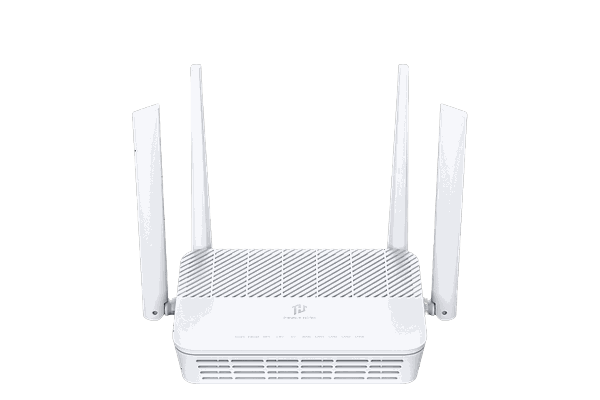
Easiest setup
Privacy Hero 2
App-guided setup with whole-home coverage and built-in streaming relocation — no VPN subscription required, and VPN-optional whenever you want it. Drops in behind your existing router in minutes, no networking experience needed.
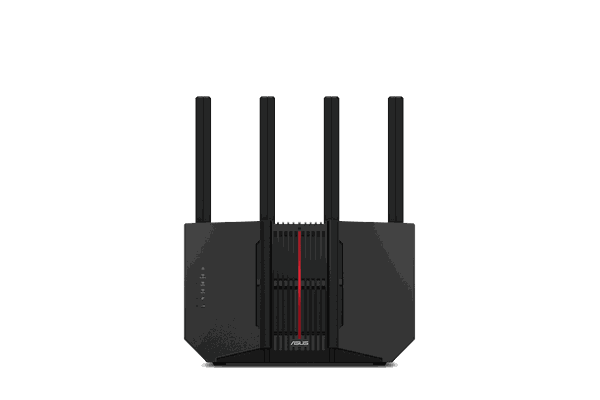
Shop Now →Best value
ASUS RT-BE92U
Pre-configured and pre-flashed, ready out of the box. A tri-band Wi-Fi 7 router with per-device VPN routing — a strong pick for your VPN gateway or a second access point.
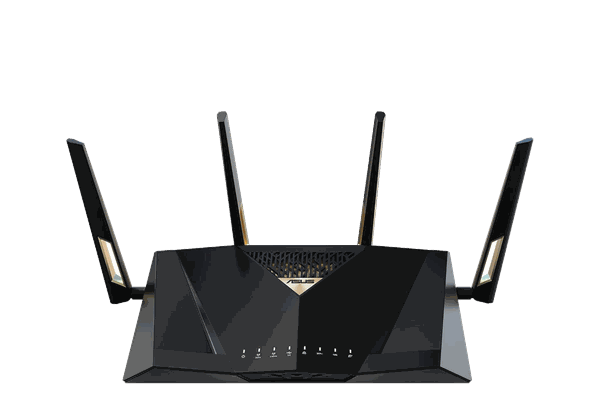
Shop Now →Most powerful
ASUS RT-BE88U
Top-tier ASUS Wi-Fi 7 hardware, pre-configured and pre-flashed. Built to push heavy VPN throughput across a busy, device-packed home.
Shop Now →
FAQ
Dual router setup questions
The questions that come up most before wiring a second router.
Can I add a VPN router without replacing my current router?
Yes. A dual router setup keeps your existing ISP router in place and adds a second VPN router behind it, so only the devices you choose route through the VPN.
What is a dual router setup?
It's a network with two routers working together: your original router handles your internet connection, and a second router adds features like a VPN gateway, extra Wi-Fi coverage, or an isolated guest network.
Is a dual router setup the same as daisy-chaining routers?
Yes. "Daisy-chaining" and "cascading" are just other names for running one router behind another. A dual router setup is the same thing: two routers connected so the second adds a feature like a VPN gateway without disrupting your main network.
Do both routers need the same firmware?
No. Your main router can stay on its stock firmware. Only the second router needs to be VPN-capable — open-source firmware such as DD-WRT or AsusWRT-Merlin, or a FlashRouter pre-configured for your provider.
Does a dual router setup cause double NAT, and does it matter?
If you connect the second router LAN-to-WAN, yes — your traffic passes through two routers. For browsing, streaming, and running a VPN it's harmless. It only matters if you need port forwarding, host a game server, or run peer-to-peer apps on a device behind the second router, in which case keep those devices on your main router.
Will a second router slow down my connection?
Routing through a VPN adds some overhead, but a capable router keeps it minimal. Devices on your main, non-VPN network keep their full speed.
Ready to set up your dual router network?
Every FlashRouter is configured to work alongside your existing network, so setup is quick. Pick your router or let the quiz match you to the right one.

DUAL ROUTER SETUP + VPN
Switch seamlessly between local and VPN network on any device, anytime!
EXTEND, SECURE & UNLOCK YOUR NETWORK
The Benefits of a Dual Router Setup
If you have a wireless network in your home or office then you most likely already have a router in place. However there are many reasons why this router alone will not be enough to take care of all your networking needs. Internet Service Providers (ISPs) will often provide a modem/router combo device that can be locked down with limited features and limited wireless range, or perhaps you purchased a router several years ago that still works but is lacking the features and functionality you desire.
How Can A Dual Router Setup Improve Your Network?
It is possible to overcome these problems by simply adding a FlashRouter into your network. Use any open port on your main router or modem/router to connect to the FlashRouter Internet port, thereby creating a separate and unique wireless network. By connecting a FlashRouter into your existing setup, you can unlock enterprise features like VPN connectivity, bandwidth monitoring, access restrictions, and much more.
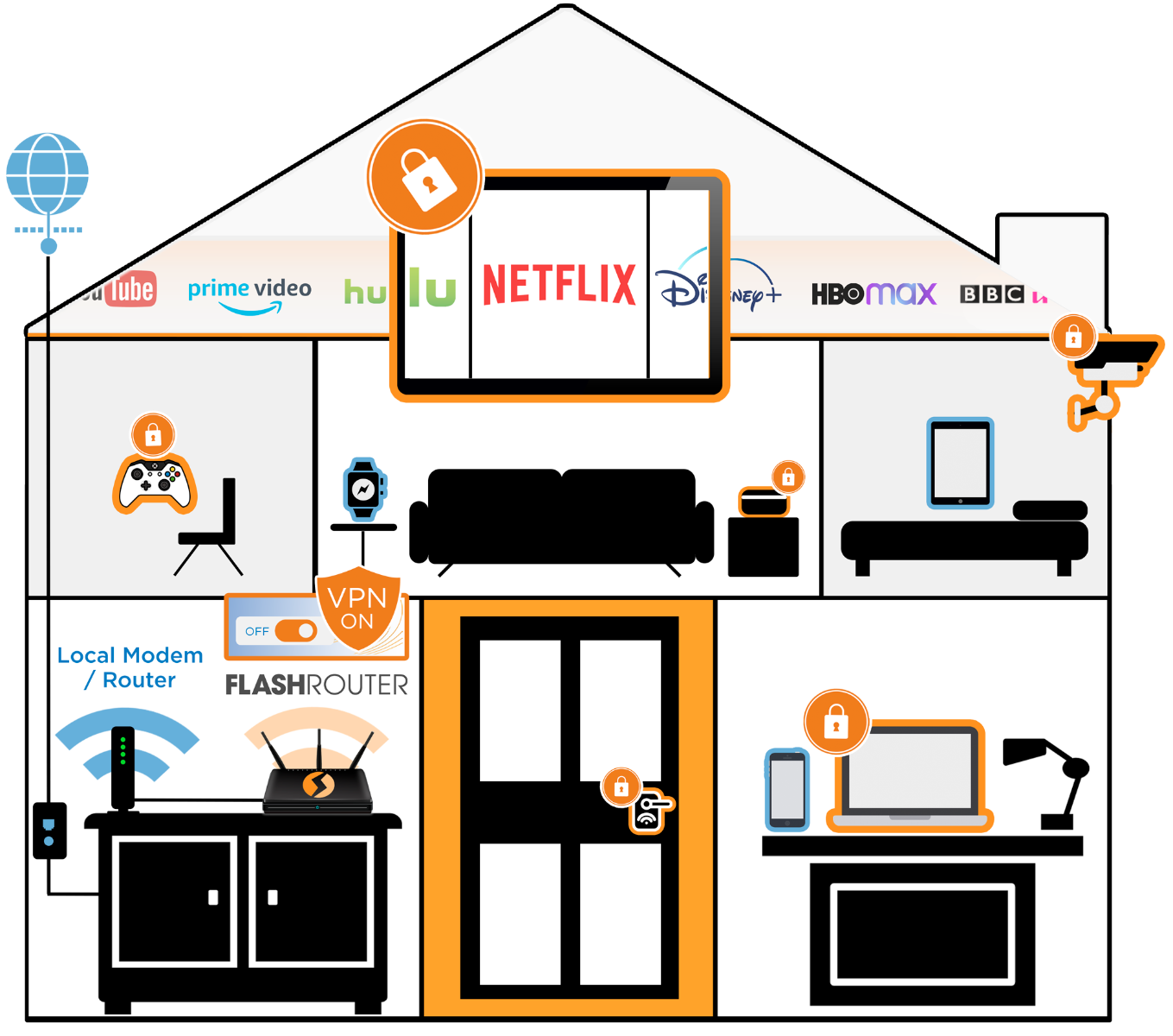
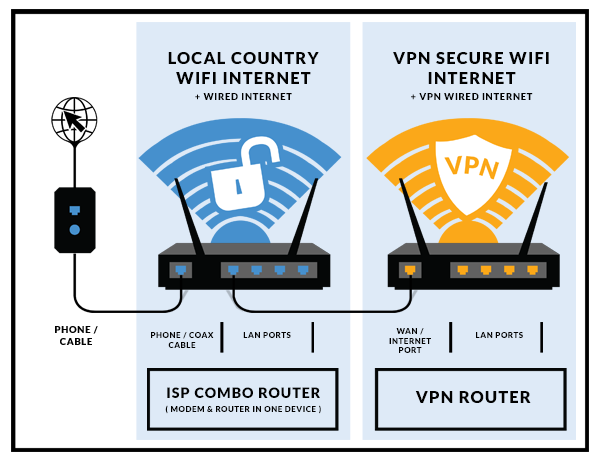
Dual Router Setup is Easy
Best of all though, you do not have to change a single setting on your existing router; you will still have the same old network up and running with a connection through your local ISP. With the FlashRouters Dual Router Setup you can have a VPN network with advanced configuration options up and running at the exact same time. For VPN users this means you can pick and choose on any wireless device whether you want an anonymous VPN connection in the virtual geographic location of your choice or a local ISP connection through your actual location.
PICK & CHOOSE VPN WITH EVERY DEVICE
Best Routers for Dual Router Setup
-
 Privacy Hero 2 NordVPN Router by FlashRouters – 1 Year NordVPN IncludedSpecial Price $179.99 Regular Price $249.99
