The store will not work correctly when cookies are disabled.
We use cookies to make your experience better.To comply with the new e-Privacy directive, we need to ask for your consent to set the cookies. Learn more.
Mullvad VPN
across your network.
One WireGuard router.
Mullvad now uses WireGuard only. Put the VPN connection
on a compatible FlashRouter to connect TVs, game consoles, streaming
devices, computers, phones, and other local devices without relying on
the Mullvad app everywhere.
WireGuard-only Mullvad setupMore local devices through the routerUS-based setup support
Active Mullvad account required. VPN service is separate from the router
unless an individual product offer explicitly states otherwise.
Mullvad WireGuard profile
Mullvad · WireGuard router profileReady
ProtocolWireGuardCurrent
LocationChoose Mullvad server locationConfig
RouterOne local-network VPN connectionRouter
DevicesVPN route or direct route where supportedControl
Generate once. Route from the router.
Use a Mullvad WireGuard configuration and then assign compatible devices.
WireGuard onlyMullvad retired OpenVPN in January 2026.
Use Mullvad with more local devicesA WireGuard router is Mullvad's recommended path when five device slots are not enough.
VPN beyond the appUseful for compatible TVs, consoles, streamers, and smart devices.
US-based setup supportHelp selecting, configuring, and troubleshooting a compatible router.
Devices without a Mullvad app
TVs, consoles, cameras, streaming players, and other compatible devices can use the router connection.
One router connection
Mullvad specifically recommends a WireGuard router when you need to use the service with more local devices.
VPN or direct routing
Supported router controls can send selected devices through Mullvad while others use the normal connection.
Mullvad router setup in 2026
Build the page around WireGuard — not old OpenVPN advice
Mullvad fully retired OpenVPN on January 15, 2026. New router setup,
product recommendations, and support copy should therefore lead with
WireGuard.
2026
OpenVPN is gone from Mullvad.
Any older FlashRouters or third-party Mullvad content that still recommends
OpenVPN should be treated as historical. Current router configurations
need a WireGuard client path.
Choose your Mullvad setup path
Privacy Hero 2 for simplicity. ASUS for hardware choice.
Both paths use Mullvad WireGuard. The difference is how you want to
manage the router and how much Wi-Fi, mesh, and hardware flexibility you need.
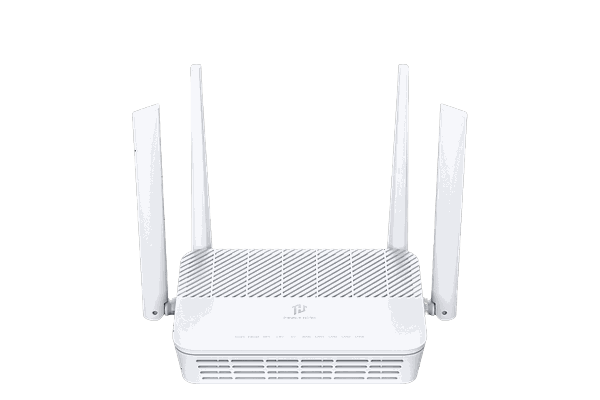
Simplest Mullvad path
Privacy Hero 2
Privacy Hero supports generic WireGuard providers such as Mullvad by
importing a provider configuration through its browser-based management
interface.
Browser-based router management
Generic WireGuard configuration upload
Device groups and VPN/bypass controls
Best fit when ease of management matters more than premium Wi-Fi hardware
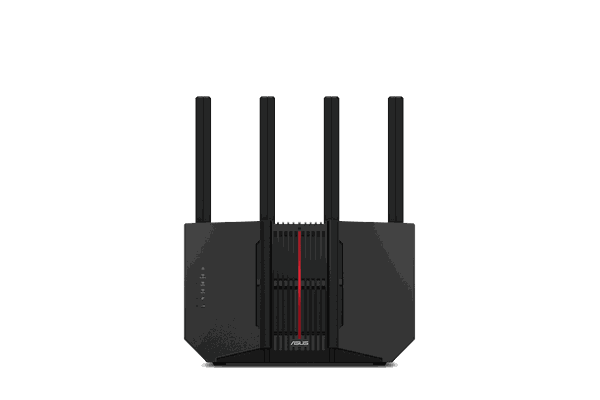
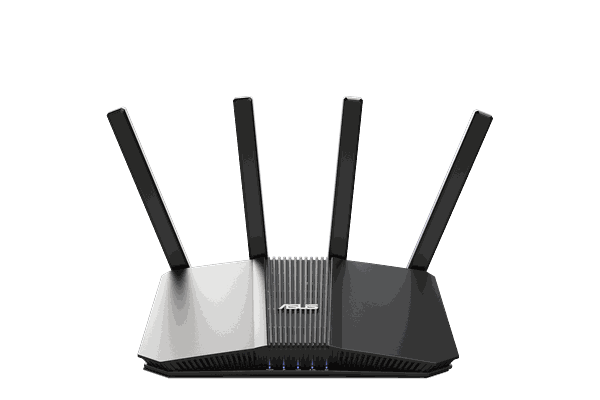
More Wi-Fi 7 options
ASUS + VPN Fusion
Supported ASUS routers can import a WireGuard client profile through
VPN Fusion and assign selected client devices to the VPN tunnel.
More Wi-Fi 7 and multi-gig hardware choices
AiMesh expansion on supported models
WireGuard VPN client support on supported firmware/models
Per-device VPN tunnel assignment with VPN Fusion where supported
Recommended Mullvad routers
Choose the router that fits your network
Start with the management experience you want, then choose the Wi-Fi and
performance tier your home needs.
Simplest setup
Recommended for easier management
Privacy Hero 2
Generic WireGuardBrowser managementDevice routing
Upload a Mullvad WireGuard configuration through Privacy Hero's custom
provider path, then manage VPN and bypass behavior from the router interface.
Generic WireGuard support includes Mullvad
Cloud-based management after router activation
FlashRouters can assist with setup after the Privacy Hero account is created
Pick Privacy Hero 2 for simpler browser management or ASUS for
broader Wi-Fi 7 hardware choices.
2
Generate Mullvad WireGuard
Use Mullvad's WireGuard configuration generator to create the router
profile and choose the location you want.
3
Load and assign devices
Import the configuration into the router and choose which supported
devices use Mullvad or the regular internet connection.
Setup differs by router.
Privacy Hero 2 is activated by the customer first, so FlashRouters assists
with VPN setup after activation. Eligible ASUS routers can offer
Configure my router for VPN during checkout.
Already own a compatible ASUS router?
Flash My Router
If your ASUS model is eligible for FlashRouters' remote service,
Flash My Router may be an alternative to buying new hardware. Confirm
model and WireGuard compatibility before ordering.
No. Mullvad fully retired OpenVPN on January 15, 2026. Current third-party router setups need WireGuard.
Can a router help with Mullvad's five-device limit?
Yes. Mullvad states that if five device slots are not enough, a WireGuard router can be used with devices on the local network.
Can Privacy Hero 2 use Mullvad?
Yes. Privacy Hero supports generic WireGuard configurations, and FlashRouters specifically lists Mullvad among providers that can be used by uploading a WireGuard configuration.
Can ASUS route only certain devices through Mullvad?
On ASUS models that support VPN Fusion and WireGuard client profiles, devices can be assigned to a VPN tunnel or left on the normal connection.
Can FlashRouters configure Mullvad?
Mullvad is a supported FlashRouters VPN provider. Exact setup options depend on the router and firmware selected.
Is a Mullvad subscription included?
No. Unless a specific product offer says otherwise, the router and configuration service do not replace your Mullvad VPN account.
WireGuard. Router-level. More devices.
Put Mullvad at the center of
your network.
Choose Privacy Hero 2 or ASUS hardware, generate your Mullvad WireGuard
configuration, and use the router to connect compatible devices across
the local network.