We use cookies to make your experience better. To comply with the new e-Privacy directive, we need to ask for your consent to set the cookies. Learn more.



VPN GUEST SETUP
Learn how to split your internet traffic between a local ISP and a VPN wireless network on the same router!
EXTEND, SECURE & UNLOCK YOUR NETWORK
The Benefits of a VPN Guest Setup
The VPN Guest Network is optimal if you want to seamlessly switch between VPN and non-VPN on the same router setup. The VPN Guest Network setup creates two segmented Wireless or WiFi networks on the Same Router but with completely different purposes.
One would be your standard day to day internet for basic activities at top speeds, the second would be Virtual Private Network encrypted for your most private activities.
1 Router, 2 Wireless Networks (1 Local ISP & 1 VPN)
With DD-WRT, you can have 2 wireless networks broadcasting from your FlashRouter at the same time. One network for any devices to automatically connect through your local ISP, and then a separate FlashRouter VPN wireless network for any devices you want to automatically connect through your VPN service.
- Switch back and forth with any device between VPN and non VPN as simple as connecting to WiFi.
- Support VPN for any user or device in your home with no additional VPN configuration.
Note: The VPN Guest Network setup can not be done by separating your single and dual band (2.4/5 GHz) broadcasts. It is accomplished through the use of Guest Network wireless setup features in conjunction with Policy Based Routing rules.
Have more questions about this unique VPN wireless setup option? Contact our Networking Sales Team Experts to get the answers you need.

PICK & CHOOSE VPN WITH EVERY DEVICE
Best Routers for VPN Guest Setup
-
 GL.iNet Beryl 7 – WiFi 7 Travel FlashRouter with VPNSpecial Price $199.99 Regular Price $279.99
 -
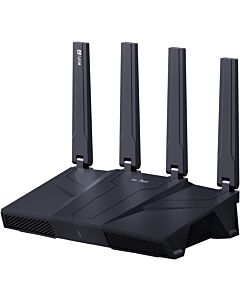 GL.iNET Flint 3 GL-BE9300 Tri Band WiFi 7 OpenWRT FlashRouterSpecial Price $269.99 Regular Price $329.99
 -
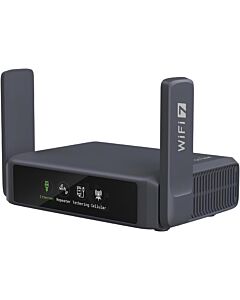 GL.iNET Slate 7 - GL-BE3600 WiFi 7 Touchscreen OpenWRT Travel FlashRouterSpecial Price $239.99 Regular Price $299.99
