The store will not work correctly when cookies are disabled.
We use cookies to make your experience better.To comply with the new e-Privacy directive, we need to ask for your consent to set the cookies. Learn more.
A VPN-ready router also lets you extend your VPN connection to selected devices on your Starlink network—including smart TVs and gaming consoles—without installing separate VPN apps. FlashRouters offers optional VPN configuration for supported providers, making it easier to manage privacy across your connected devices. A compatible VPN subscription is required.
The quick answer
Yes—you can use your own router with Starlink.
Connect a compatible router by Ethernet and enable bypass mode where your kit requires it. Some kits need a Starlink Ethernet Adapter. Start with the recommendation that matches your setup.
Recommended routers
Find the right fit for your Starlink network
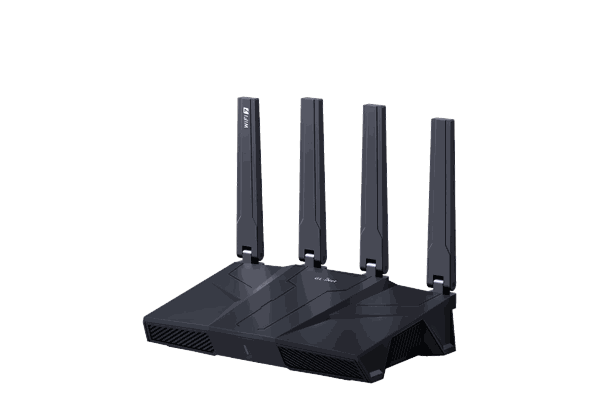
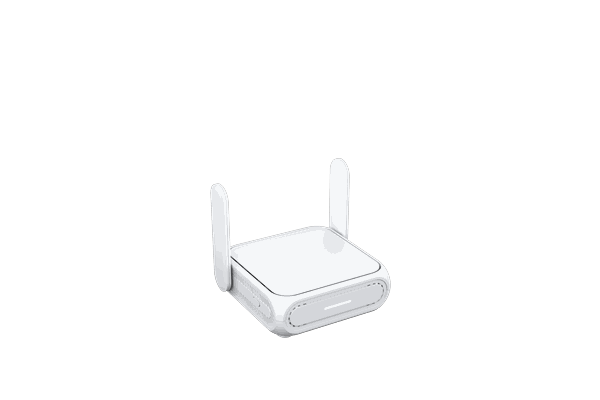
Start with the RT-BE58U for everyday use, step up to the RT-BE92U for tri-band WiFi 7, or choose advanced control or compact hardware.
Want help with VPN setup? Choose “Configure my router for VPN” on the product page and select a supported provider. Review the available setup and support options before ordering. A compatible VPN subscription is required.
Router-level VPN
Bring your VPN to more of your Starlink devices
Once a supported VPN client is configured and connected, the router can send selected devices’ internet traffic through that VPN connection.
01
Reach TVs and consoles
Connect devices to the FlashRouter’s WiFi or Ethernet. The router handles the VPN connection for devices assigned to it, including smart TVs without VPN apps.
02
Choose which devices use VPN
On supported setups, use device-routing rules to keep selected devices on the VPN and others on your direct Starlink connection.
03
Manage the connection centrally
Configure a supported VPN provider on the router. VPN-routed internet traffic is encrypted between the router and VPN server.
VPN features and routing options depend on your router, firmware, provider, and protocol. For separate VPN and direct networks, explore a dual-router setup.
Side-by-side comparison
Starlink router vs. a FlashRouter upgrade
Choose the local network and VPN features you need while Starlink continues to supply your internet connection.
What matters
Starlink router
FlashRouter upgrade
WiFi coverage
Coverage depends on your Starlink router generation, placement, and home layout.
Choose hardware and expansion options to suit your rooms and connected devices.
Network control
A straightforward network managed through the Starlink app.
More local settings, Ethernet options, and supported device-routing controls.
VPN for devices
Use VPN apps on devices that support them.
Run a supported VPN client on the router for assigned WiFi and Ethernet devices, including TVs and consoles.
VPN configuration
Set up and manage VPN apps on individual devices.
Optional FlashRouters configuration for supported providers. A compatible VPN subscription is required.
Internet performance
Your Starlink plan and conditions determine the internet connection.
Local WiFi may improve. The router cannot increase Starlink bandwidth; VPN use may reduce speed or add latency.
WiFi coverage
Starlink router
Coverage depends on your Starlink router generation, placement, and home layout.
FlashRouter upgrade
Choose hardware and expansion options to suit your rooms and connected devices.
Network control
Starlink router
A straightforward network managed through the Starlink app.
FlashRouter upgrade
More local settings, Ethernet options, and supported device-routing controls.
VPN for devices
Starlink router
Use VPN apps on devices that support them.
FlashRouter upgrade
Run a supported VPN client on the router for assigned WiFi and Ethernet devices, including TVs and consoles.
VPN configuration
Starlink router
Set up and manage VPN apps on individual devices.
FlashRouter upgrade
Optional FlashRouters configuration for supported providers. A compatible VPN subscription is required.
Internet performance
Starlink router
Your Starlink plan and conditions determine the internet connection.
FlashRouter upgrade
Local WiFi may improve. The router cannot increase Starlink bandwidth; VPN use may reduce speed or add latency.
Getting connected
Set up your Starlink router upgrade in three steps
Your Starlink kit determines the Ethernet connection and whether bypass mode is needed. Check your kit before choosing the connection path.
01 / CONNECT
Make the Ethernet connection
Connect Starlink’s Ethernet handoff to your FlashRouter’s WAN port. Some kits provide native Ethernet; others require a Starlink Ethernet Adapter.
02 / ROUTE
Use bypass mode where required
When replacing the Starlink router’s network, enable bypass mode in the Starlink app where your kit requires it. Your FlashRouter then manages the local WiFi and connected devices.
03 / ADD VPN
Connect your devices and VPN
Join the FlashRouter’s WiFi or Ethernet. If you want VPN routing, configure and connect a supported VPN client, then assign the relevant devices. Bypass mode alone does not turn on a VPN.
Yes. Most Starlink kits support a third-party router connected by Ethernet. Use bypass mode where required by your kit so your FlashRouter can manage the local network. Some kits require a Starlink Ethernet Adapter.
Why upgrade the Starlink router?
A compatible FlashRouter gives you more WiFi and local network options, plus a way to run a supported VPN connection for selected devices. Actual coverage and performance depend on your router, layout, and Starlink connection. For separate VPN and direct networks, see our dual-router setup guide.
What router works best with Starlink?
Choose Asus RT-BE58U for balanced everyday use, Asus RT-BE92U for a tri-band WiFi 7 upgrade, GL.iNet Flint 3 for advanced control, or Asus BE58 Go for a compact setup. Match the model to your home, device count, and supported VPN provider.
Is Starlink bypass mode hard to set up?
Setup depends on your Starlink kit. Connect your FlashRouter by Ethernet, enable bypass mode in the Starlink app where required, and connect your devices to the FlashRouter. Some kits need an Ethernet adapter; kits with native Ethernet may use a different connection path. Our Starlink VPN setup guide explains the main setup options.
Can I use a VPN with Starlink?
Yes. A compatible router can establish an outbound VPN connection over Starlink. Choose a VPN provider and protocol supported by your router. Bypass mode alone does not activate a VPN; the VPN client must also be configured and connected.
Do my TV and gaming console need separate VPN apps?
No. When your router’s VPN client is connected and the device is assigned to that VPN route, connect the TV or console to the FlashRouter by WiFi or Ethernet. The router handles the VPN connection for that traffic. See our Smart TV VPN router guide for TV-specific options.
Is a VPN subscription included with these routers?
A compatible VPN subscription is required. Optional VPN configuration and any VPN subscription offers are shown on each product page. If you use NordVPN, compare the current NordVPN router and bundle options. Check your selected bundle and setup options before ordering.
Will a VPN make Starlink faster?
A VPN can reduce throughput or add latency. Results depend on the router, VPN protocol, server location, and Starlink conditions. A new router can improve local WiFi performance, but it cannot increase the bandwidth supplied by Starlink. Read more about VPN performance on Starlink.


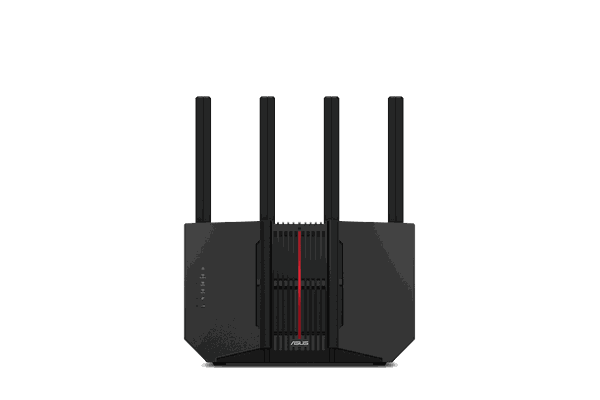
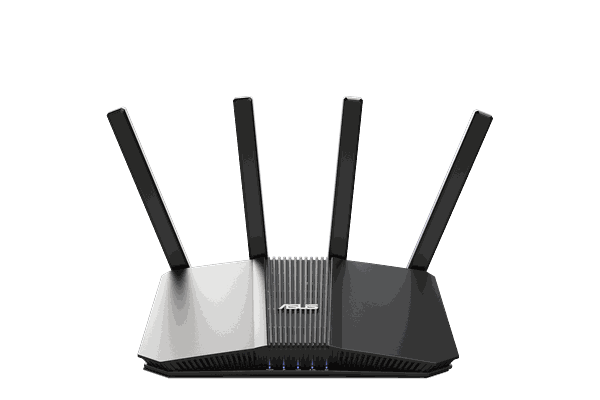 Everyday recommendation