

2.4 GHz5 GHz
Dual-band Wi-Fi 7
For everyday home connections or a compact travel setup. The RT-BE58U is a home example; it does not include a 6 GHz radio.
Wireless BE means Wi-Fi 7—the name for IEEE 802.11be, also called Extremely High Throughput (EHT). It can bring faster local connections and more flexible wireless links to compatible devices. The right upgrade depends on your home, your devices, and the features of the router you choose.
Buying for VPN? Check the router’s processor, firmware, and provider compatibility alongside its Wi-Fi features.
15+ Years of Pre-Configured Routers · 50,000+ Routers Configured · US-Based Support · Official NordVPN Partner
Choose for home or travel, then compare bands, wired ports, and the VPN setup you need.
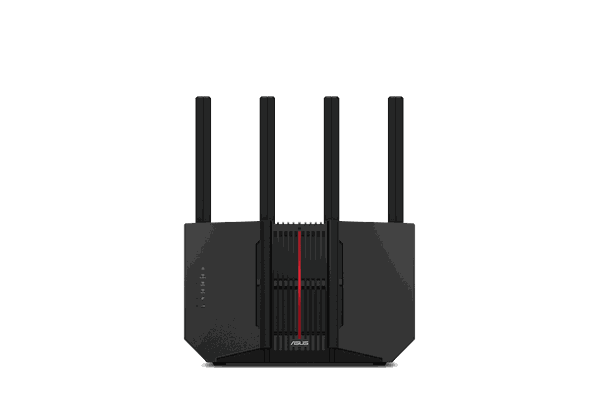
Tri-band · 2.4 + 5 + 6 GHz
Start here for a busy home with compatible 6 GHz devices, faster wired equipment, or a multi-gig internet plan.
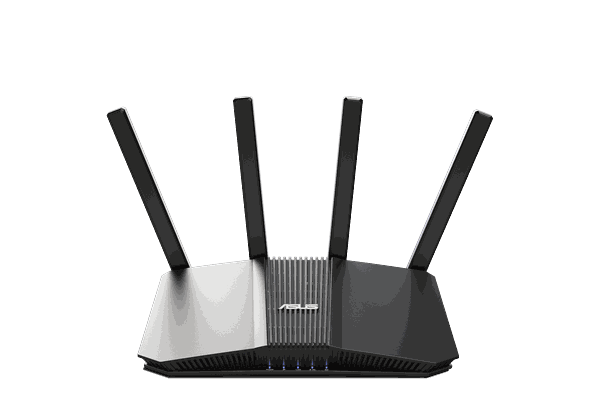
Dual-band · 2.4 + 5 GHz
A practical home upgrade when you want Wi-Fi 7 and ASUS network controls without paying for a 6 GHz radio.

Tri-band · 2.4 + 5 + 6 GHz
An OpenWrt-based alternative for buyers who want tri-band Wi-Fi 7, flexible VPN routing, and deeper network settings.

Compact Wi-Fi 7 travel router
A portable option for hotels, rentals, and shared internet connections when your main priority is a familiar VPN network on the road.
Looking for a premium ASUS option? Explore the ROG Rapture GT-BE19000AI. Prefer a compact ASUS? See the RT-BE58 Go. Current pricing, stock, and service options are shown on each product page.
A dual-band Wi-Fi 7 router can be a sensible upgrade. A tri-band model with 6 GHz adds another band for devices that can use it. Neither choice automatically fixes a difficult floor plan.
For everyday home connections or a compact travel setup. The RT-BE58U is a home example; it does not include a 6 GHz radio.
For compatible devices that can use the extra spectrum. The RT-BE92U and Flint 3 provide this option. Availability and channel widths depend on your region.
These features need support from both the router and the connected device. Check the model, firmware, operating system, and local wireless rules.
Multi-Link Operation lets compatible equipment use multiple links. Depending on implementation, that can improve throughput, responsiveness, or connection reliability.
Selected 6 GHz models support channels up to 320 MHz wide. You need a compatible client and available spectrum; dual-band models cannot offer 320 MHz in 6 GHz.
4096-QAM can carry more information in each wireless transmission than Wi-Fi 6’s 1024-QAM. Its highest rates depend on excellent signal conditions.
Real speeds also depend on distance, walls, interference, wired connections, and your device. Wi-Fi 7 is not a guarantee of longer range or lower internet ping.
Wi-Fi 6 can still be the right buy. Wi-Fi 7 is more useful when the devices and the rest of your network can take advantage of it.
| What to compare | Wi-Fi 6 / 6E | Wi-Fi 7 / Wireless BE |
|---|---|---|
| Wireless bands | Wi-Fi 6: 2.4 + 5 GHz. Wi-Fi 6E adds 6 GHz. | May be dual-band or include 6 GHz. Check the specific model. |
| Channel width | Up to 160 MHz on supported equipment. | Up to 320 MHz on supported 6 GHz equipment, where permitted. |
| Multi-Link Operation | No Wi-Fi 7 MLO. | Available with compatible router and client implementations. |
| Older devices | Supported, subject to band and security compatibility. | Supported; older clients retain their own feature limits. |
| VPN performance | Depends on CPU, firmware, protocol, and provider. | Still depends on CPU, firmware, protocol, and provider. |
| Best reason to choose | Good value for existing devices and everyday speeds. | Newer compatible clients, faster local transfers, and a network ready for upcoming device upgrades. |
Swipe the table sideways to compare both columns.
Wi-Fi connects your devices to the router. A configured VPN encrypts supported internet traffic between that router and the VPN server. A newer wireless standard does not turn the VPN on for you.
Connect a Smart TV, console, or other device to the router’s Wi-Fi or Ethernet. The router applies its VPN routing settings, so supported traffic can use the VPN even when the device has no VPN app.
Need a separate VPN network behind your existing router? See the dual-router setup guide. Double NAT can affect gaming and inbound connections.
WireGuard, OpenVPN, and provider integrations vary by router and service. A provider’s mobile app features are not automatically available on a router.
On supported firmware, route selected devices through the VPN and keep others on a direct connection. Available controls vary by model.
Look for “Configure my router for VPN” on the product page, then review the selected provider, support plan, and included services.
Wireless BE refers to IEEE 802.11be, the Wi-Fi 7 generation. The BE label identifies the wireless standard; it does not tell you which bands, ports, or VPN features a particular router includes.
No. Dual-band models such as the ASUS RT-BE58U use 2.4 and 5 GHz. To get 6 GHz, choose a router that specifically lists a 6 GHz radio, such as the tri-band RT-BE92U or Flint 3, and use compatible devices. Available channels depend on regional regulations.
Wi-Fi 7 routers support older Wi-Fi generations, but those devices keep their own speed and feature limits. Some older smart-home devices need a separate 2.4 GHz network with compatible security settings. See the Wi-Fi 7 smart-device troubleshooting guide before weakening security across your whole network.
It can reduce a wireless bottleneck when the router and device support the relevant features. It cannot increase the speed of your internet plan. Your modem, Ethernet ports, cables, interference, device hardware, and router placement can all limit the result. The Wi-Fi 7 upgrade guide explains when the newer standard is worth it.
No. BE speed classes describe combined theoretical wireless link rates across the router’s bands. They are not a promise of one device’s download speed, internet speed, or encrypted VPN throughput.
Not automatically. VPN throughput depends on the router processor, firmware, protocol, VPN server, and internet connection. Check your VPN provider and supported router setup first; the Wi-Fi generation alone is not a VPN speed rating.
Included services vary by router and bundle. Check the product page and your selected options for VPN service, setup assistance, support term, and any renewals. A router being VPN-ready does not mean every provider or protocol is supported or that a subscription is included.
A FlashRouter does not replace the modem or an optical network terminal. Depending on your ISP, you may connect it behind your gateway or use bridge or passthrough mode. A dual-router setup is another option; check the guide and ISP requirements before changing the network.
Understand 2.4 GHz networks, security settings, and common issues after a router upgrade.
Read the troubleshooting guide Before you buyTake a closer look at the upgrade decision and the role of network throughput.
Read the buying guide VPN controlLearn how policy-based routing separates VPN traffic from direct connections.
Read the routing guideCompare Wi-Fi hardware, compatible VPN setups, and the configuration options that fit your home or travel network.
