We use cookies to make your experience better. To comply with the new e-Privacy directive, we need to ask for your consent to set the cookies. Learn more.


Introducing the FlashRouters Privacy App
The easiest way to connect to the best VPN services from your DD-WRT router.

Works on all devices
Runs from any internet browser, desktop or smartphone.

Ready out of the box
App is pre-installed on every FlashRouter.

Security for everything
Expand VPN compatibility to all devices, even without native VPN support.
What Makes a Router with the FlashRouters Privacy App Different?

Complete Security On All Devices
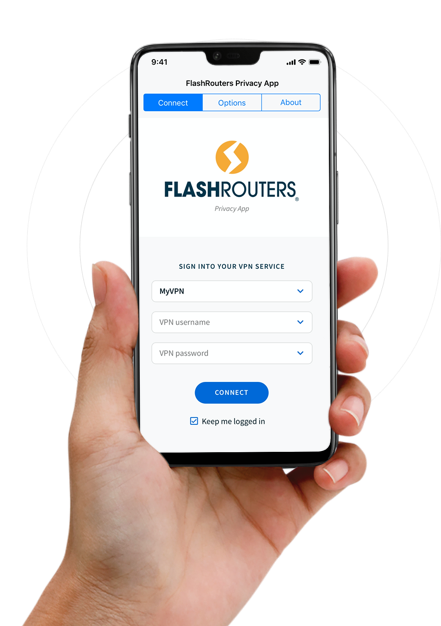
The FlashRouters Privacy App works just like an app for Android, Windows or Apple iOs except it’s located on your router. And there is no separate app to install. However, when you connect to VPN with the FR App, you’re not only securing your computer, you’re also securing every device in your home at once. Simply enter your VPN login information, search for your preferred VPN server location, and click Connect to get started.
Setup Simplified
Instead of setting up your VPN on one device at a time with different instructions for each device, you only need to setup your VPN once with the FR Privacy App.
Avoid Device Connection Limits
If your VPN provider limits the number of simultaneous connections to their service, you can use just 1 connection for a FlashRouter to cover ALL devices in your home with no device connection limit.
Supports All VPN Client Connections
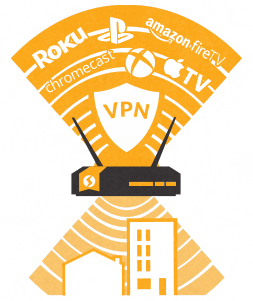
Certain devices like streaming players, gaming systems, and Internet of Things (IoT) devices do not have native support for VPN client connections. These devices need security too, and with the FR Privacy App all devices that connect to your home network can now connect through your VPN service.
How it Works
No more struggling with confusing installs or instructions that end up not working. Just follow the simple steps below to get started.
1
Visit the web app portal
Exclusively created and maintained by FlashRouters.
2
Enter Your VPN Provider Credentials
3
Select Your Desired Server
Pick your preferred server location from a live updated list
4
Click Connect
Yep. That's it.
FlashRouter's Privacy App Puts Complete Control At Your Fingertips With These Advanced Features


Selectable Servers
Searchable and selectable server locations sortable by distance, server location, or time.

Auto Connection
Get a VPN connection instantly when you connect to the internet, whether it’s fresh out of the box or just been rebooted.

Global Kill Switch
Block Internet access if the VPN connection is not active on the router. Even if you lose connection, Global Kill switch ensures your ISP IP is safe.

Customize Each Device
VPN with Kill-Switch, VPN without Kill-Switch, or VPN-Bypass.

Easily Manage Connections
View a list of all connected devices on your network and easily edit the names of your devices for your convenience.

Customize Rules
Setup rules over hosts and websites.* Turn VPN on and off however you like. *Excludes streaming services.
Shop VPN Routers
The FlashRouters Privacy App comes pre-installed on all of our routers. View some of our favorite routers below or click the shop all button to view our entire selection.
WHY A VPN ROUTER?
1
GET A VPN CONNECTION ON ALL YOUR DEVICES
Even devices that don't support VPN
2
EASE OF SETTING UP JUST ONE VPN CONNECTION
For an entire home or office!
REMOTE FLASHING + VPN SUPPORT
FlashRouter Support Plans
If you already own any supported FlashRouter model and want VPN setup support & flashing assistance for your VPN provider of choice, purchase a FlashRouters VPN Support Plan.