We use cookies to make your experience better. To comply with the new e-Privacy directive, we need to ask for your consent to set the cookies. Learn more.


Recommended For: Medium to Large Homes (30+ Devices)
Price Includes: Open Source Firmware Install, 30-Day Satisfaction Guarantee, 1-Year Warranty
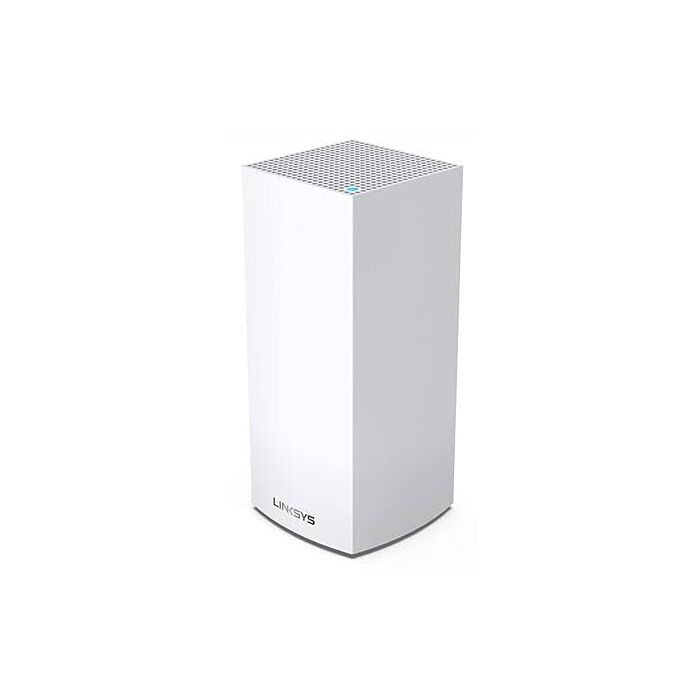
Linksys MX4300 AX4200 Tri-Band WiFi 6 DD-WRT FlashRouter
Special Price
$119.99
Regular Price
$149.99
In stock
SKU
MX4300
Linksys MX4300 with DD-WRT Firmware: Powerful Tri-Band WiFi 6 Built for VPN
Take your home network to the next level with the Linksys MX4300 AX4200 Tri-Band WiFi 6 DD-WRT FlashRouter. Powered by a 1.4 GHz quad-core Qualcomm processor, an impressive 2 GB of RAM, and 1 GB of flash storage, the MX4300 provides the hardware power and flexibility needed for advanced networking, VPN connections, streaming, gaming, and busy connected homes.
FlashRouters upgrades the Linksys MX4300 with open-source DD-WRT firmware, unlocking advanced networking features far beyond standard factory firmware. DD-WRT includes support for both OpenVPN and WireGuard VPN client connections, allowing the MX4300 to work with many popular VPN providers, including NordVPN, Proton VPN, Surfshark, IPVanish, and more.
Instead of installing VPN software separately on every phone, computer, streaming device, or smart TV, connect compatible devices to your FlashRouter and manage the VPN connection directly from the router. This makes the MX4300 an excellent choice for users who want whole-network VPN protection combined with the speed and efficiency of WiFi 6.
AX4200 Tri-Band WiFi 6 Performance
The Linksys MX4300 combines three WiFi bands for up to 4.2 Gbps of total wireless capacity. Its tri-band WiFi 6 design gives you one 2.4 GHz band and two separate 5 GHz bands, providing additional wireless capacity for homes with many connected devices.
- Tri-Band WiFi 6: One 2.4 GHz radio plus two 5 GHz radios.
- AX4200 Wireless: Up to approximately 600 + 1200 + 2400 Mbps across the three bands.
- OFDMA Technology: Designed for more efficient communication with multiple WiFi 6 devices.
- 4x4 High-Band 5 GHz Radio: Adds additional wireless capacity for demanding devices and applications.
Whether you're streaming 4K video, gaming, working remotely, downloading large files, or connecting dozens of smart devices, the MX4300 provides significantly more wireless capacity than a traditional dual-band router.
Serious Hardware for DD-WRT
Open-source router firmware can benefit greatly from additional processing power and memory, and the MX4300 delivers substantially more hardware resources than many mainstream consumer routers.
- Processor: Qualcomm IPQ8174 1.4 GHz Quad-Core CPU
- Memory: 2 GB RAM
- Flash Storage: 1 GB NAND Flash
- WiFi: AX4200 Tri-Band WiFi 6
- Ethernet: 1 Gigabit WAN + 3 Gigabit LAN Ports
- USB: 1 USB 3.0 Port
The combination of a quad-core ARM processor and generous memory makes the MX4300 particularly attractive for users who want to take advantage of DD-WRT VPN features, advanced routing rules, multiple wireless networks, and other custom networking functionality.
A High-Performance VPN Router
With DD-WRT installed, the Linksys MX4300 can establish a VPN connection directly at the router level using WireGuard or OpenVPN.
Router-level VPN connections are particularly useful for devices where installing a traditional VPN application is difficult or impossible, including:
- Smart TVs
- Apple TV and other streaming devices
- Roku and Fire TV devices
- Game consoles
- IoT and smart-home devices
- Computers, tablets, and mobile devices
Depending on your VPN provider and DD-WRT configuration, you can protect connected devices without having to configure VPN software individually on every device.
Compatible with Popular VPN Providers
DD-WRT supports industry-standard VPN protocols rather than locking you into a single VPN company. The MX4300 can be configured with many VPN services that provide standard OpenVPN or WireGuard configuration support.
Popular compatible VPN providers include:
- NordVPN
- Proton VPN
- Surfshark
- IPVanish
- Private Internet Access
- Windscribe
- and many other OpenVPN or WireGuard-compatible VPN providers
VPN protocol availability and router configuration requirements vary by VPN provider and subscription.
Supercharge Your Router with DD-WRT
Router manufacturers typically design factory firmware for simplicity. That works well for basic networking, but advanced users often need greater control over their network.
FlashRouters transforms the Linksys MX4300 into a powerful, multi-purpose router by installing and testing DD-WRT open-source firmware before the router ships to you.
DD-WRT gives users access to advanced networking functionality, VPN client and server options, custom DNS settings, advanced WiFi configuration, VLAN and network controls, and numerous other features unavailable or limited in standard consumer firmware.

What Do You Get with a DD-WRT FlashRouter?

OPEN SOURCE FIRMWARE "FLASH" UPGRADE
Our FlashRouter experts test supported DD-WRT firmware releases before approving them for use on the routers we sell. Your Linksys MX4300 is professionally upgraded with an approved DD-WRT build before shipping.
VPN CLIENT SUPPORT
Once upgraded with DD-WRT firmware, the MX4300 supports VPN client connections using popular protocols including OpenVPN and WireGuard.
This allows compatible VPN services to run directly on your router so connected devices can use the router's VPN tunnel.
DD-WRT OPEN SOURCE BENEFITS
DD-WRT unlocks advanced router functionality including VPN client and server configurations, advanced routing, custom DNS, WiFi customization, access restrictions, VLAN functionality, network monitoring, and much more.
DD-WRT COMMUNITY
DD-WRT has an active open-source community where experienced users discuss firmware releases, advanced router configurations, networking features, and custom setups.
Visit the DD-WRT Community Forum to explore additional configurations and features.
DD-WRT FIRMWARE DEMO
Want to see DD-WRT before purchasing? Explore the online DD-WRT interface demo to get an idea of the available settings, menus, VPN configuration options, and advanced networking tools.
Why Choose the Linksys MX4300 DD-WRT FlashRouter?
- Powerful DD-WRT Hardware: 1.4 GHz quad-core Qualcomm processor with 2 GB RAM and 1 GB flash storage.
- Tri-Band WiFi 6: Three wireless radios provide more capacity than standard dual-band WiFi routers.
- AX4200 Wireless: Up to 4.2 Gbps of combined theoretical WiFi capacity.
- OpenVPN + WireGuard: Configure compatible VPN services directly on DD-WRT.
- VPN Protection for More Devices: Route compatible devices through the VPN without installing individual VPN apps on every device.
- Advanced Network Control: Access DD-WRT routing, DNS, wireless, firewall, VLAN, VPN, and network-management features.
- Professionally Flashed: FlashRouters handles the DD-WRT firmware installation and testing before shipping.
Linksys MX4300 DD-WRT Technical Specifications
| Brand | Linksys |
|---|---|
| Model | MX4300 / LN1301 |
| Firmware | DD-WRT |
| VPN Protocols | OpenVPN, WireGuard |
| WiFi Standard | WiFi 6 / 802.11ax |
| Wireless Class | AX4200 |
| WiFi Bands | Tri-Band: 2.4 GHz + 5 GHz + 5 GHz |
| Wireless Configuration | 2x2 2.4 GHz + 2x2 5 GHz + 4x4 5 GHz |
| Combined Wireless Speed | Up to 4.2 Gbps |
| Processor | Qualcomm IPQ8174 Quad-Core |
| Processor Speed | 1.4 GHz |
| RAM | 2 GB |
| Flash Memory | 1 GB NAND |
| WAN Port | 1 × Gigabit Ethernet |
| LAN Ports | 3 × Gigabit Ethernet |
| USB | 1 × USB 3.0 Hardware Port |
| Antenna Type | Internal |
| Power Supply | 12V / 3A |
| Dimensions | Approx. 4.5 × 4.5 × 9.57 inches |
| Weight | Approx. 2.15 lb / 0.95 kg |
| Package Contents | Linksys MX4300 Router, Power Adapter, Ethernet Cable |
Linksys MX4300 DD-WRT VPN Router FAQ
Does the Linksys MX4300 support DD-WRT?
Yes. FlashRouters professionally upgrades compatible Linksys MX4300 units with DD-WRT open-source firmware and tests the router before shipping.
Does the MX4300 support WireGuard?
Yes. DD-WRT includes WireGuard functionality in addition to OpenVPN, allowing compatible VPN providers to establish a VPN connection directly from the router.
Can the MX4300 connect to NordVPN?
Yes. NordVPN can be configured on compatible DD-WRT routers using supported router VPN protocols. FlashRouters can also offer VPN preconfiguration options when available.
Can I use Surfshark, Proton VPN, or IPVanish?
Yes. The MX4300 with DD-WRT is compatible with many VPN providers that supply standard OpenVPN or WireGuard router configurations, including Surfshark, Proton VPN, IPVanish, and others.
Can I choose which devices use the VPN?
DD-WRT provides advanced routing functionality that can be used for customized network and VPN-routing configurations. Available options depend on the firmware build, VPN protocol, and desired network setup.
Is the Linksys MX4300 a mesh router?
The MX4300 hardware is designed as a standalone router and this model does not support Linksys Velop Mesh functionality. It can, however, be connected to other networking equipment depending on your desired network configuration.
Is a VPN subscription included?
A VPN subscription is separate unless specifically included or selected as part of a FlashRouters promotion or bundle. Customers may also use a compatible existing VPN subscription.
| Brand | Linksys |
|---|---|
| Firmware | DD-WRT |
| VPN Protocols | OpenVPN, Wireguard |
| Wi-Fi Standard | Wi-Fi 6 - Wireless AX |
| Wireless Speed & Coverage | 4200 Mbps |
| WiFi Bands | Tri Band |
| Ethernet Port Type | 4 Gigabit |
| USB Ports | 1 USB 3.0 |
| Antenna Type | 4 Internal |
| Processor Brand | Qualcomm |
| Processor Speed | 1.4 GHz |
| RAM / Flash Memory | 2GB / 1 GB |
| Power Supply | 100-240V |
| Package Contents | A/C Power Supply, Ethernet Cable |
Can My Router Be Preconfigured With My VPN Information?
Plug and Play VPN Support
Yes, it can! Simply select CONNECT TO VPN FOR ME under VPN - PRECONFIGURATION when you checkout.
To receive a plug-and-play-with-VPN device, you will need to provide our team with the credentials from your VPN provider subscription.
IMPORTANT NOTE:
-This is not required but recommended for users who wish to have the simplest, most seamless experience when the FlashRouter arrives. You can always change the password when the device arrives if you wish as well.
What does the warranty cover?
Our complimentary 1-year hardware warranty does not include tech support outside. If your router suffers hardware failure within 365 days from the date you received the unit, then we will gladly replace your router with another fully tested one. For more information regarding our warranty and return policy, please check out our warranty and return section.
What does condition mean?
- New: are directly from the manufacturer and are brand new units.
- RM: are recertified units directly from the manufacturer that may have had damanged boxes or have been returned with out being used. All RM units have been tested by the router manufacturer and are again tested by our expert techs to insure they are as good as the new units we sell.
- Open Box: are similar to RM units but have not come from the manufacturer. In some cases these are new units we have purchased and the boxes were too damaged to sell as new. They can also be returned units that are tested by our expert tech to insure they work as good as new units.
All conditions qualify for our Free 1 Year Open Source Warranty and our 30 Day Satisfaction Guarantee unless noted otherwise.
Is a VPN Subscription included?
We offer discounted NordVPN 2 Year Standard Subscriptions - routers over $350 include it FREE and under $350 it is only $40 when you purchase any FlashRouter.
For all other VPNs, you would need to sign up for one separately, directly from a provider.
Need assistance in finding a VPN Provider? Please visit our recent VPN Provider Listings.
*If you return your router you will be charged the full price of the Nord subscription
Can you flash a mesh router?
We can! We sell various Mesh Routers but you can hook up any mesh system directly into your FlashRouter so all traffic is tunneled through a VPN. It would look something like this:
Is a FlashRouter compatible with my ISP?
FlashRouters work with all domestic and international Internet Service Providers (ISPs). You just have to connect your FlashRouter to your ISP modem/router, you can find out more information by clicking this link.
I already have a router. Can I have it upgraded?
If you already own this router we can remotely flash it for you! Please head over to the Flash My Router section of our website to see which plan works best for you.
Can my FlashRouter be wired only?
Yes! All FlashRouters have LAN ports that allow you to plug directly into them, in addition you can turn off Wi-Fi for a wired only internet set up.
How much does shipping cost?
Domestic Customers:
- Free Ground Shipping when you purchase a router with any Silver or Gold Service Plan.
- Discounted Ground Shipping 3-10 Day Delivery
- $20 Flat Rate Express 2-3 Day shipping.
International Customers:
- Flat Rate Shipping (est. 4-10 day delivery)
- Pricing for UPS, USPS, and FedEx will vary by country. See Shipping Rates Tab. FlashRouters does not add any internal handling fees to international rates.
- Note: Customers pay customs, duties, processing fees, and taxes (if applicable).
How fast do you ship?
We aim to ship your purchase within 1-2 business days from the original order date.
Once an order is placed, we configure the VPN settings on the router based on your requests.
There may be a delay of up to 24 hours if our configuration team is unable to configure your router as requested. In these cases, our support team will reach out to you in an attempt to find a solution. If the team does not hear back from you within 24 hours they will ship out the unit to avoid further delays. Keep in mind our support team will be available to assist if you have any setup issues once you receive your router.
Can you ship to my country?
We ship to almost all countries around the world with some exclusions. If you would like to ship to any of these excluded countries, we recommend using PayPal and a Freight forwarding service such as Aramex, MyUS, or Shipito.
Another option if you are located in a country we do not ship to is to purchase a compatible router locally that we can flash remotely for you via our Flash My Router plan. A full list of compatible routers are listed there.
We ship to the following countries:
| Aland Islands | Falkland Islands | Monaco | Sweden |
| Albania | Faroe Islands | Mongolia | Switzerland |
| American Samoa | Fiji | Montenegro | Taiwan, Province of China |
| Andorra | Finland | Montserrat | Thailand |
| Anguilla | France | Morocco | Timor-Leste |
| Antarctica | French Guiana | Nepal | Tonga |
| Antigua & Barbados | French Polynesia | Netherlands | Trinidad & Tobago |
| Argentina | French Southern Territories | New Caledonia | Turkey |
| Armenia | Georgia | New Zealand | Turks & Caicos Islands |
| Aruba | Germany | Nicaragua | Ukraine |
| Australia | Gibraltar | Norfolk Island | United Arab Emirates |
| Austria | Greece | Norfolk Mariana Islands | United Kingdom |
| Azerbaijan | Greenland | North Macedonia | United States |
| Bahamas | Grenada | Norway | Uruguay |
| Bahrain | Guadeloupe | Oman | U.S. Outlying Islands |
| Barbados | Guam | Pakistan | U.S. Virgin Islands |
| Belarus | Guatemala | Palau | Uzbekistan |
| Belgium | Guernsey | Panama | Vanuatu |
| Belize | Guinea | Papua New Guinea | Vatican City |
| Bermuda | Guyana | Paraguay | Venezuela |
| Bolivia | Haiti | Peru | Vietnam |
| Bouvet Island | Heard & McDonald Islands | Pitcairn Islands | Yemen |
| British Indian Ocean Territory | Honduras | Philippines (DHL only) | |
| British Virgin Islands | Hong Kong SAR China | Poland | |
| Brunei | Hungary | Portugal | |
| Bulgaria | Iceland | Qatar | |
| Cambodia | Ireland | Reunion | |
| Cameroon | Isle of Man | Romania | |
| Canada | Israel | Samoa | |
| Caribbean Netherlands | Italy | San Marino | |
| Cayman Islands | Jamaica | Saudi Arabia | |
| Chile | Japan | Serbia | |
| China | Jersey | Singapore | |
| Christmas Island | Jordan | Sint Maarten | |
| Cocos (Keeling) Islands | Kazakhstan | Slovakia | |
| Columbia | Kuwait | Slovenia | |
| Cook Islands | Kyrgyzstan | South Africa | |
| Costa Rica | Latvia | South Georgia & South Sandwich Islands | |
| Core d’Ivoire | Lebanon | South Korea | |
| Croatia | Liechtenstein | Spain | |
| Curaçao | Lithuania | Sri Lanka | |
| Cyprus | Luxembourg | St Barthelemy | |
| Czechia | Macao SAR China | St Helena | |
| Denmark | Maldives | St Kitts & Nevis | |
| Dominica | Malta | St Lucia | |
| Dominican Republic | Marshall Islands | St Martin | |
| Ecuador | Martinique | St Pierre & Miquelon | |
| El Salvador | Mexico | St Vincent & Grenadines | |
| Equatorial Guinea | Micronesia | Suriname | |
| Estonia | Moldova | Svalbard & Jan Mayen |
Known excluded countries are:
| Afghanistan | Gambia | Nauru | Wallis & Futuna |
| Algeria | Ghana | Niger | Western Sahara |
| Angola | Guinea-Bissau | Nigeria | Zambia |
| Bangladesh | India | Niue | Zimbabwe |
| Benin | Indonesia | North Korea | |
| Bhutan | Iran | Palastinian Territories | |
| Bosnia & Herzegovina | Iraq | Russia | |
| Botswana | Kenya | Rwanda | |
| Brazil | Kiribati | Sao Tome & Principe | |
| Burkina Faso | Kosovo | Senegal | |
| Burundi | Laos | Seychelles | |
| Cape Verde | Lesotho | Sierra Leone | |
| Central African Republic | Liberia | Solomon Islands | |
| Chad | Libya | Somalia | |
| Comoros | Madagascar | Sudan | |
| Congo - Brazzaville | Malawi | Syria | |
| Congo - Kinshasa | Malaysia | Tajikistan | |
| Cuba | Mali | Tanzania | |
| Djibouti | Mauritania | Togo | |
| Egypt | Mauritius | Tokelau | |
| Eritrea | Mayotte | Tunisia | |
| Eswatini | Mozambique | Turkmenistan | |
| Ethiopia | Myanmar (Burma) | Tuvalu | |
| Gabon | Namibia | Uganda |
What is a VPN?
VPN is an acronym for ‘Virtual Private Network’, historically used by private organizations to seamlessly link geographically diverse locations via the Internet. A VPN ‘tunnels’ traffic between two devices by transmitting it over a secure network. There are also clearly identifiable benefits to individual Internet users accessing a VPN.
- A VPN provides you with top-level security and privacy for all your Internet downloading, streaming and browsing. As long as you are signed into your VPN account, all data you transmit over the Internet is encrypted.
- A VPN encrypts your device by hiding the IP address assigned by your Internet Service Provider (ISP) and replacing it with the IP address of your choosing from the list of server locations belonging to your VPN provider. This masks your identity when visiting sites that geo-restricted content, and helps you avoid devious local Internet marketing and advertising schemes that track you through your IP address.
Is a VPN Subscription included?
We offer discounted NordVPN 2 Year Standard Subscriptions - routers over $350 include it FREE and under $350 it is only $40 when you purchase any FlashRouter.
For all other VPNs, you would need to sign up for one separately, directly from a provider.
Need assistance in finding a VPN Provider? Please visit our recent VPN Provider Listings.
*If you return your router you will be charged the full price of the Nord subscription
Can I change my IP address to on in another country?
YES! The countries that you can change your IP address to depend on the offerings of your specific VPN providers. Prices and server locations vary across all VPN providers.
If you choose to purchase a FlashRouter then you will not have to install any VPN client software on your computer to change your IP address; the VPN will already be configured within the router. Therefore, any device you plug into this FlashRouter is automatically assigned the IP address of your selected VPN server.
Should my FlashRouter replace my old router?
A FlashRouter will work as a standalone router by connecting your modem to its Wide Area Network (WAN) port, or using it in a Dual Router Network by connecting it to your existing router through a Local Area Network (LAN)/Ethernet port. Either way a FlashRouter can be configured to tunnel all traffic through the VPN server of your choosing.
If you would like to set up your Home Network so that some devices are being tunneled through a VPN server, and others are connecting to your Internet Service Provider (ISP) within your home country, then using your FlashRouter as an auxiliary device is recommended.
A FlashRouter will not replace your modem though but can be used along side it.
Will a FlashRouter speed up my connection?
FlashRouters are relatively new models that may enhance data transfers across your home network or extend the range of your Wireless signal. However, the speed at which you download or stream content can not exceed the speed of the connection you pay for through your ISP. Purchasing a FlashRouter or signing up for VPN service WILL NOT transform your regular connection into a high-speed broadband connection.
At the same time, if you do have a broadband connection, a FlashRouter with a VPN connection may slow down your transfer speeds due to the processor encrypting all of your data. In certain cases a FlashRouter with a VPN can also prevent throttling by an ISP of specific service like Netflix or Amazon Video.
Does the service plan renew?
All FR service plans automatically renew on a quarterly or annual basis based on the term initially purchased. A reminder e-mail will be sent one week prior to renewal. In your FlashRouter account panel, you can cancel the plan at any time to stop any further renewals.
Does the service plan include a VPN subscription?
We offer discounted NordVPN 2 Year Standard Subscriptions - routers over $350 include it FREE and under $350 it is only $40 when you purchase any FlashRouter.
For all other VPNs, you would need to sign up for one separately, directly from a provider.
Need assistance in finding a VPN Provider? Please visit our recent VPN Provider Listings.
*If you return your router you will be charged the full price of the Nord subscription
Does FlashRouters offer phone support?
At this time, we do not provide phone support with our service plans. We have tested phone support for networking troubleshooting in the past but have found that on average caused us to help less customers in a less efficient manner.
However, with a purchase of a yearly Silver Plan or any Gold Service Plan, customers can schedule 1-on-1 remote support sessions via Teamviewer with our engineers and they will provide a hands-on, personal solution, to any problems you may be facing.
Can I purchase a router without a plan and subscribe later?
Yes, you may purchase a service plan at any time. However, we can’t guarantee any pricing, or apply any previously offered discounts or specific features at that later date.
Do I need a Service Plan for a firmware upgrade?
Firmware upgrades are free of charge to any FlashRouter customer!
You can visit our support center and select your specific router model to upgrade your firmware based on the recommendations provided.
If you want the help of our Support Team to assist in this upgrade, you can always sign up for our yearly Silver plan or any Gold Service Plan and schedule a 1-on-1 Teamviewer session in which our trained engineers will take care of the upgrade for you!
All US customers can choose $20 2-3 Day Express Shipping or get discounted Ground Shipping!
Free US Shipping is also available with the purchase of a router with any Silver or Gold Service Plan.
FlashRouters also offers Flat Rate Shipping to 176 countries around the world using FedEx.
Customers pay customs, duties, processing fees, and taxes (if applicable)
Router Service Plans
Get help with VPN server setup, router setup, troubleshooting, & more for your FlashRouter with a service plan!
Choose what level of ongoing expert service/technical support will suit your needs.

SILVER
$ 10 /Month
BILLED: $30
*FREE FOR THREE MONTHS WITH ROUTER PURCHASE!
Live Chat Assistance
Need to diagnose an issue on the spot? No worries, our support team can help you out via live chat directly on our website during standard business hours.
Help Center Access
The FlashRouters Help Center features comprehensive setup guides, troubleshooting guides, and an extensive FAQ Section.
48 Hour Support Ticket Response Time
Router Updates
Whether it’s new servers, additional configuration, app updates, or fun features, we’re always looking to update and improve our routers.
Return & Repair Service
Members of the silver tier with active warranties are eligible for replacement or in-office repairs on request. (Please note: shipping is not included.)
Remote Support Sessions +$50
• 1-on-1 support session at a reduced price of $50/session.
• Yearly subscription includes one session!
• Yearly subscription includes one session!

GOLD
$ 20 /Month
BILLED: $60
*BILLED PRICE: $30 WITH ROUTER PURCHASE!
Live Chat Assistance
Need to diagnose an issue on the spot? No worries, our support team can help you out via live chat directly on our website during standard business hours.
Help Center Access
The FlashRouters Help Center features comprehensive setup guides, troubleshooting guides, and an extensive FAQ Section.
24 Hour Support Ticket Response Time
Router Updates
Whether it’s new servers, additional configuration, app updates, or fun features, we’re always looking to update and improve our routers.
Return & Repair Service
Members of the gold tier with active warranties are eligible for replacement or in-office repairs on request. (Please note: shipping is not included.)
A 1-on-1 Remote Support Session
A 1-on-1 remote support session comes included (up to 4 with a yearly plan subscription!) with the plan. In a jam? Our US-based expert support team will connect to your network remotely and diagnose your issues.
Additional Remote Support Sessions +$25
Add additional 1-on-1 support sessions at a reduced price of $25 each.
SILVER
$ 8 /Month
BILLED: $96
*BILLED PRICE: $66 WITH ROUTER PURCHASE!
Live Chat Assistance
Need to diagnose an issue on the spot? No worries, our support team can help you out via live chat directly on our website during standard business hours.
Help Center Access
The FlashRouters Help Center features comprehensive setup guides, troubleshooting guides, and an extensive FAQ Section.
48 Hour Support Ticket Response Time
Router Updates
Whether it’s new servers, additional configuration, app updates, or fun features, we’re always looking to update and improve our routers.
Return & Repair Service
Members of the silver tier with active warranties are eligible for replacement or in-office repairs on request. (Please note: shipping is not included.)
A 1-on-1 Remote Support Session
Yearly subscription includes one 1-on-1 support session.
Additional Remote Support Sessions +$50
GOLD
$ 12 /Month
BILLED: $144
*BILLED PRICE: $114 WITH ROUTER PURCHASE!
Live Chat Assistance
Need to diagnose an issue on the spot? No worries, our support team can help you out via live chat directly on our website during standard business hours.
Help Center Access
The FlashRouters Help Center features comprehensive setup guides, troubleshooting guides, and an extensive FAQ Section.
24 Hour Support Ticket Response Time
Router Updates
Whether it’s new servers, additional configuration, app updates, or fun features, we’re always looking to update and improve our routers.
Return & Repair Service
Members of the gold tier with active warranties are eligible for replacement or in-office repairs on request. (Please note: shipping is not included.)
Router Wellness Checkup
Get a yearly checkup from our networking experts to ensure your network settings are just the way you want them.
Four 1-on-1 Remote Support Sessions
FOUR 1-on-1 remote support sessions are included a yearly Gold plan subscription! In a jam? Our US-based expert support team will connect to your network remotely and diagnose your issues.
Additional Remote Support Sessions +$25
Add additional 1-on-1 support sessions at a reduced price of $25 each.
DD-WRT Support Articles
Internet Setup
- Connect FlashRouter to Internet
- Access FlashRouter DD-WRT firmware settings
- What are some extra steps I can take to secure my network?
- IPv6 Internet Setup
- PPPoE Internet Setup
WiFi Setup
VPN Setup
DD-WRT Features
- How do I set a Static IP for my device in DD-WRT?
- How do I upgrade the DD-WRT firmware of my FlashRouter?
- How do I save and load a backup file?
- How do I schedule a reboot of my FlashRouter?
- How do I change the DHCP range of my FlashRouter?
Troubleshooting
- Why can’t I send emails while connected to VPN?
- What is a DNS leak and how can I prevent a DNS leak in my router?
- My VPN stopped working on my FlashRouter.
- Why is my connection speed slower?
- Why are streaming services blocked while connected to VPN?
- How do I find my router local IP address?
- How do I reset and reconfigure my FlashRouter?
- How do I check for static network settings on my devices?
- Why is my router not connecting to internet?
- How to fix an Unidentified Network or Limited Connection?
- Why are some of my devices not connecting to the internet?
- Why is the internet LED red on my router?
- Why is the power light on my FlashRouter blinking?
- My 2.4GHz network is not showing up
- My 5.0GHz network is not showing up
- My WiFi password is not working
- Why did my WiFi SSID change to ‘dd-wrt’?
- Why are devices disconnecting from Wireless?
- Why is my WiFi signal weak?
