Flash My Router: ExpressVPN App Setup

Flash My Router: ExpressVPN App Setup

The Flash My Router plan is a great option if you already own a compatible router, or if you want to buy a router locally to forgo the cost and hassle of international shipping.
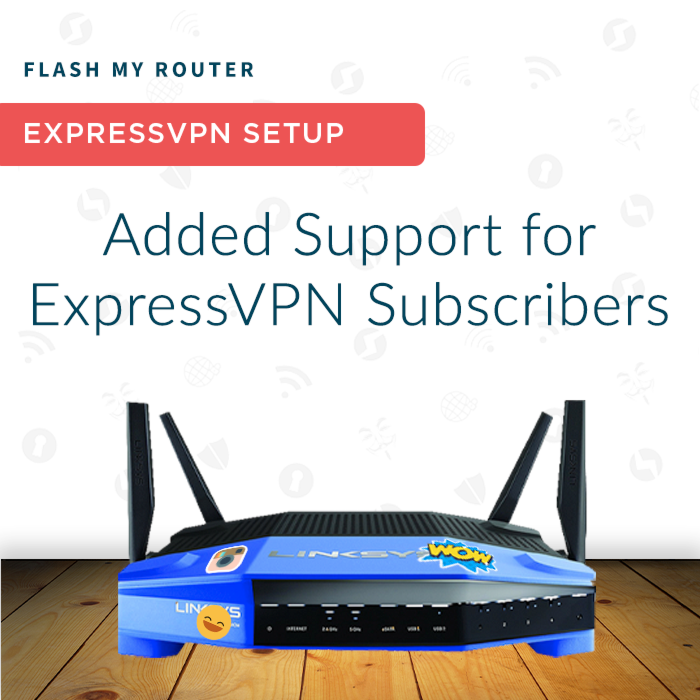
Flash My Router: ExpressVPN App Setup

$100.00
In stock
SKU
FMR-XP

Supercharge Your Router with ExpressVPN

Supercharge Your Router with ExpressVPN

Manufacturers develop routers with non-technical users in mind, making them simple and easy to use while limiting their effectiveness as a web-access gateway. Our FlashRouter Experts will transform your router into a powerful, multi-use, business-class router added support for the ExpressVPN App.

What do you get with the ExpressVPN Flash My Router Service?


1 Remote Support Session


ExpressVPN App for Routers Installation


Internet and ExpressVPN Connection Setup


WiFi Network Setup


VPN Kill Switch Option


VPN Routing by Device


$30 Credit Towards Service Plan Addons

 
1 Remote Support Session

Anyone who purchases a Flash My Router Plan will receive hands-on assistance via TeamViewer, a remote tech support application. With TeamViewer our team can login directly to your network and complete all the required ExpressVPN Firmware setup and configuration. Our team will live chat directly with you throughout the session and answer any questions you may have about the process.

ExpressVPN APP FOR ROUTERS "FLASH" UPGRADE

Our “flashing” experts will install the latest version of ExpressVPN firmware for your router. ExpressVPN firmware also contains an auto-update feature so your firmware will always remain up to date.

Internet and ExpressVPN Setup

Once your router is upgraded with the ExpressVPN App for routers our team will make sure you successfully connect to the internet, login to ExpressVPN, and connect your network to the preferred ExpressVPN server location.

WIFI NETWORK SETUP

Our team will help you setup your WiFi network on all available bandwidths. We will also show you how to update your wireless network name (SSID) and WiFi password anytime you like.

ExpressVPN App for Router Features

Now that your router is upgraded with ExpressVPN firmware, our team will help you get the most out of your router. Now you can connect to VPN with the new and secure ExpressVPN Lightway protocol for faster connections compared to OpenVPN. Device Groups are supported as well, where it is possible to connect to multiple ExpressVPN locations at once, and then assign all the devices in your network to various different ExpressVPN locations around the world. The VPN Kill Switch feature will also block the internet if your ExpressVPN connection drops unexpectedly at any time.

Supported Devices

R6300 v2, R6400 v2, R6700 v3, R7000, R7000P

RT-AC56U, RT-AC56R, RT-AC56S, RT-AC68U V3, RT-AC87U

EA6200, WRT1200AC, WRT1900AC v1, WRT1900AC v2, WRT1900ACS v1, WRT1900ACS v2, WRT32X, WRT3200ACM

Flint-AX, Slate-AX
More Information
Wi-Fi Standard Wi-Fi 5 - Wireless AC
Firmware AircoveOS
Brand ASUS, GL.iNet, Linksys, Netgear

Is A Router Included With My Purchase?

No, Flash My Router is for customers who already have a compatible router or plan on buying one from a third party. Our technicians will remotely connect to your router to flash it with custom firmware.

What Is Flash My Router?

For users with existing routers, FlashRouters offers a personalized service called Flash My Router. Our router experts connect to your router remotely and upgrade your firmware via a process called flashing. This process endows your router with unique features that they can't access with OEM firmware.

This is perfect for users who want to upgrade their network setup without adding an additional device.

How Do I Schedule My Session?

Once you've purchased the FMR plan you will receive an automated email from FlashRouters including a link to book your appointment to flash the router.

Can I Flash My Mesh Router?

We can flash Asus Zen Wifi mesh routers. You can find them here.

Does the service plan renew?

All FR service plans automatically renew on a quarterly or annual basis based on the term initially purchased. A reminder e-mail will be sent one week prior to renewal. In your FlashRouter account panel, you can cancel the plan at any time to stop any further renewals.

Does the service plan include a VPN subscription?

A subscription to a VPN does not come with a FlashRouter or Service plan. If you are planning to use a VPN, you would need to sign up for one separately, directly from a provider.

Need assistance in finding a VPN Provider? Please visit our recent VPN Provider Best Seller List.

Does FlashRouters offer phone support?

At this time, we do not provide phone support with our service plans. We have tested phone support for networking troubleshooting in the past but have found that on average caused us to help less customers in a less efficient manner.

However, with a purchase of a yearly Silver Plan or any Gold Service Plan, customers can schedule 1-on-1 remote support sessions via Teamviewer with our engineers and they will provide a hands-on, personal solution, to any problems you may be facing.

Do I need a Service Plan for a firmware upgrade?

Firmware upgrades are free of charge to any FlashRouter customer!

You can visit our support center and select your specific router model to upgrade your firmware based on the recommendations provided.

If you want the help of our Support Team to assist in this upgrade, you can always sign up for our yearly Silver plan or any Gold Service Plan and schedule a 1-on-1 Teamviewer session in which our trained engineers will take care of the upgrade for you!

HOW IT WORKS?

1. Order Confirmation

Once your purchase is completed, you will receive an email confirmation with instructions on how to schedule a remote session appointment* with a FlashRouter support representative.

2. Before Your Appointment

Once your purchase is completed, you will receive an email confirmation with instructions on how to schedule a remote session appointment* with a FlashRouter support representative.

3. Remote Session

Once your purchase is completed, you will receive an email confirmation with instructions on how to schedule a remote session appointment* with a FlashRouter support representative.

SCHEDULING APPOINTMENTS

Appointment hours are 10 AM - 6 PM US EST Monday-Friday.

Our support team is also happy to work with you to schedule an appointment outside of normal support hours if our standard hours do not work for you. However, at least 1 business day of advanced notice is required for off hours appointment planning. 

NOTE: Plans are not refundable once flashing is complete on your router

SETUP OPTIONS

Single Router VPN Setup

  • Connect your FlashRouter through a modem and create a fully encrypted, VPN connected, wired and wireless network in your home for any streaming devices, gaming systems, SmartTVs, and more.
  • LEARN MORE

Dual Router VPN Setup

Connect your FlashRouter through a modem and create a fully encrypted, VPN connected, wired and wireless network in your home for any streaming devices, gaming systems, SmartTVs, and more.

  • If you have an existing router, including any commonly used DSL router/modems or Verizon Fios supplied Actiontec routers (just to name a few), our team will help you add in a VPN connection option in your network without changing any settings on your primary router device.
  • The result is two wired and wireless networks available in your home or office at the same time - your primary network for unencrypted local ISP connections and a FlashRouter network for encrypted VPN connections. Pick and choose between any wired or wireless network on all of your Internet connected devices.
  • If you require a PPPoE login to connect to your Internet service provider, you may use your existing router to connect to your ISP via PPPoE and then connect the FlashRouter in a Dual Router Setup in order to create a VPN network in your home.
  • LEARN MORE

VPN Management by Device

  • ExpressVPN firmware allows for simultaneous VPN connections to multiple locations. The special Device Group feature will then allow you to assign different locations to each device that is connected to your ExpressVPN router. 
  • LEARN MORE

What's Not Included

  • Router not included with purchase, this plan is to upgrade a previously purchased router.
  • Additional Support and Service time is not included unless you subscribe to a FlashRouter Service Plan. FlashRouter Service Plans are available during checkout, or can be added at a later date.
  • The "Flash My Router" product comes with hands on support from the FlashRouters team for firmware “flashing”, Internet connection setup, wireless network setup, VPN Client connection support, along with additional features like Device Group setting that are available with ExpressVPN firmware.
  • Stock firmware features from your router will be removed along with any smart app access to your router that may be available from Linksys, Netgear, or Asus. This firmware is entirely replaced by the ExpressVPN App for Router. 
Copyright © 2013-present IPANYWHERE Inc. All rights reserved.

Privacy Policy | Terms | Warranty & Returns | Site Map
