We use cookies to make your experience better. To comply with the new e-Privacy directive, we need to ask for your consent to set the cookies. Learn more.


Search results for: 'Phone connectio'
- Related search terms
- Phone connection
- connection dd-wrt setup
- pHone spot as internet
- connection protocol 連線協定
- phone mount for car ram compatible - medium
- Support Articles
- How to Reset a Failed VPN Connection on Privacy Hero
- Should I be using my computer/phone/tablet VPN app while connected to the FlashRouter?
- Privacy Hero Dashboard Not Updating or Showing Old Information
- Privacy Hero VPN Kill Switch Troubleshooting: No Internet or WiFi
- View all support articles
-
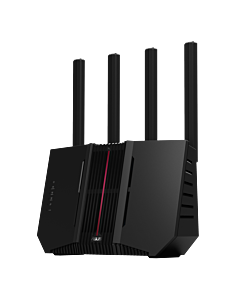 Asus RT-BE92U BE9700 Tri-Band WiFi 7 AsusWRT FlashRouterSpecial Price $249.99 Regular Price $329.99
Support Articles
- How to Reset a Failed VPN Connection on Privacy Hero
- Should I be using my computer/phone/tablet VPN app while connected to the FlashRouter?
- Privacy Hero Dashboard Not Updating or Showing Old Information
- Privacy Hero VPN Kill Switch Troubleshooting: No Internet or WiFi
- Device Settings That Can Interfere With Your Router VPN
Blog Articles
-
 Why Does My iPhone Keep Showing Up as a New Device on My Router?
Your iPhone may appear under a new identity because Apple uses private Wi-Fi addresses. Learn the difference between Fixed, Rotating and Off—and how to keep router rules and parental controls attached to the right device.
-
 Why Router-Level Blocking Sometimes Misses a Browser or Phone
If router-level blocking works everywhere except one browser or phone, encrypted DNS, a device VPN or a privacy relay may be taking a different route.
-
 Using a Wireless Repeater as a Dedicated VPN Connection in a Wireless Network
Learn how to easily set up a router for use as a dedicated VPN Wireless Repeater to enhance your current network!
-
 VPN Connected, but Some Websites Won’t Load? Check the MTU
A VPN can show connected while certain sites stall, logins fail or uploads freeze. Learn how an MTU mismatch creates a selective failure—and how to diagnose it without randomly changing router settings.
-
 How to Replace a Router Without Reconnecting Every Smart Device
Replacing your router does not have to mean resetting every smart bulb, camera and speaker. Preserve the right network settings and most devices can reconnect automatically.
